HDMI vs HDBaseT: Which Technology Should You Choose for Professional AV Installations?
One of the most common questions during an AV system design is whether to use a direct HDMI connection or extend the signal using HDBaseT. While both technologies deliver high-quality audio and video, they are designed for different applications.
Choosing the right technology can improve system reliability, simplify installation, and reduce future maintenance costs. Whether you’re designing a conference room, classroom, auditorium, or control room, understanding the strengths and limitations of each solution is essential.
In this guide, we’ll explain HDMI and HDBaseT in simple terms and help you decide which option is best for your next AV project.
Understanding HDMI
HDMI (High-Definition Multimedia Interface) is the most widely used audio and video connection standard in the world. It carries uncompressed digital video and audio through a single cable, making it the preferred choice for connecting laptops, media players, cameras, displays, and projectors.
In most meeting rooms, when you connect your laptop directly to a display or presentation switcher, you’re using HDMI.
Its biggest advantage is simplicity. Connect the cable, select the correct input, and the display begins showing content almost instantly.
Understanding HDBaseT
HDBaseT is an extension technology that allows HDMI signals to travel much longer distances over a standard CAT6 network cable.
Instead of running a long HDMI cable across the room, the HDMI signal is converted at one end, transmitted through CAT6 cable, and converted back to HDMI at the destination.
Although HDBaseT uses network cable, it is not the same as AV over IP. The signal is transmitted directly between compatible HDBaseT devices and does not pass through a standard Ethernet network like IP-based AV solutions.
This makes HDBaseT an excellent choice for medium and long-distance AV installations.
Why HDMI Has Distance Limitations
HDMI cables perform extremely well over short distances. However, as cable length increases, signal quality gradually decreases.
Long HDMI cable runs can result in:
- No video output
- Flickering images
- Intermittent signal loss
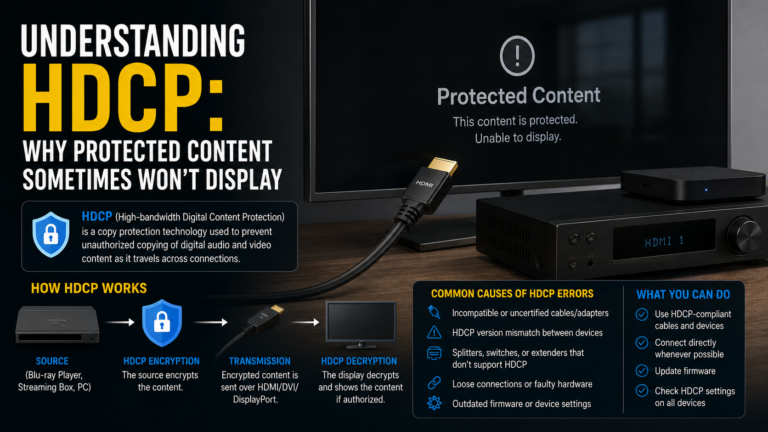
- HDCP handshake failures
- Resolution instability
For this reason, HDMI is generally preferred for short-distance connections where the source and display are located close to each other.
Why HDBaseT Was Developed
As meeting rooms and commercial buildings became larger, installers needed a more reliable way to transmit high-quality audio and video across greater distances.
HDBaseT solves this challenge by using CAT6 cable, which is easier to install, easier to terminate, and more suitable for structured building cabling.
It enables equipment racks to remain in dedicated equipment rooms while displays and projectors are installed far away.
How HDMI Works
A typical HDMI connection is straightforward.
A laptop connects directly to a display using a single HDMI cable.
The signal travels from the source to the display without requiring additional conversion.
This approach works perfectly in small meeting rooms, home offices, and desktop environments where cable lengths remain short.
How HDBaseT Works
In an HDBaseT installation, the HDMI signal first enters a transmitter.
The transmitter converts the signal for transmission over CAT6 cable.
At the destination, a receiver converts the signal back into HDMI before sending it to the display.
Although additional hardware is required, the installation becomes far more practical for larger spaces where long HDMI cables would be unreliable.
Where HDMI Is Commonly Used
HDMI is an excellent choice for:
- Small meeting rooms
- Desktop workstations
- Home theaters
- Personal gaming systems
- Direct monitor connections
- Equipment racks with nearby displays
Whenever the source and display are close together, HDMI remains the simplest solution.
Where HDBaseT Is Commonly Used
HDBaseT is widely used in professional AV environments where displays are installed far from the equipment rack.
Typical applications include:
- Corporate boardrooms
- University classrooms
- Auditoriums
- Training centers
- Hotels
- Houses of worship
- Digital signage
- Control rooms
- Government facilities
Its ability to transmit reliable signals over longer distances makes it one of the most popular technologies in commercial AV.
HDMI or HDBaseT — Which Should You Choose?
The answer depends entirely on the installation.
If your display is located only a few meters from the source device, HDMI is often the most practical and cost-effective solution.
However, when displays are mounted across large conference rooms, lecture halls, or auditoriums, HDBaseT provides a much cleaner and more reliable installation.
It also reduces cable management challenges by allowing structured CAT6 cabling instead of bulky HDMI cables.
The best AV designers choose the technology that matches the room size, installation requirements, and future expansion plans rather than using the same solution everywhere.
Common Installation Mistakes
Many installation issues occur because cable planning is overlooked.
Running extremely long HDMI cables often leads to unstable performance.
Using poor-quality CAT6 cable can also affect HDBaseT reliability.
Another common mistake is failing to test the complete signal path before handing over the installation to the client.
Professional cable termination, proper labeling, and thorough system testing greatly improve long-term performance.
Best Practices
Plan cable routes before installation begins.
Use certified HDMI cables from reputable manufacturers.
For HDBaseT installations, choose high-quality CAT6 or CAT6A cabling.
Avoid unnecessary cable joints wherever possible.
Label both ends of every cable for easier maintenance.
Always verify video resolution, audio performance, and control functions before completing the project.
A well-planned installation not only improves system reliability but also reduces future troubleshooting time.
Final Thoughts
HDMI and HDBaseT are both essential technologies in professional AV, but they serve different purposes.
HDMI remains the best option for short-distance connections where simplicity is the priority. HDBaseT extends those same high-quality signals across much greater distances, making it ideal for commercial buildings, boardrooms, classrooms, and large meeting spaces.
Understanding where each technology performs best allows AV professionals to design systems that are reliable, scalable, and easier to maintain.
As modern workplaces continue to evolve, selecting the right transmission technology is just as important as choosing the right display or conferencing platform.
Continue following AV Insider for practical AV guides, real-world installation tips, and expert insights into the technologies shaping the future of professional audiovisual systems.