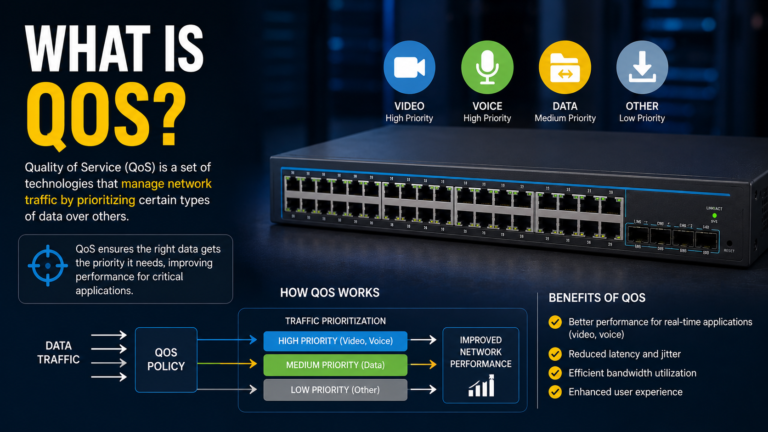
What is QoS (Quality of Service)? Why Every AV Network Needs It
Learn how Quality of Service (QoS) prioritizes audio and video traffic to deliver smooth meetings, clear voice calls, and reliable AV performance across modern enterprise networks.
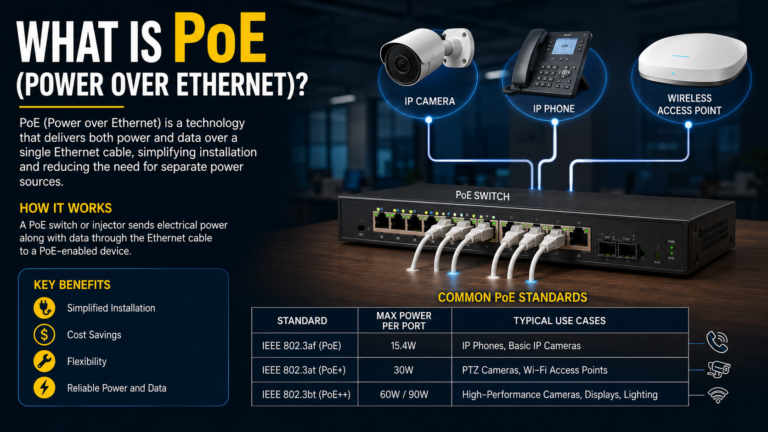
Discover how Power over Ethernet (PoE) simplifies professional AV installations by delivering both power and network connectivity through a single Ethernet cable. Learn how PoE works, where it’s used, and why it’s a key technology in modern AV systems.
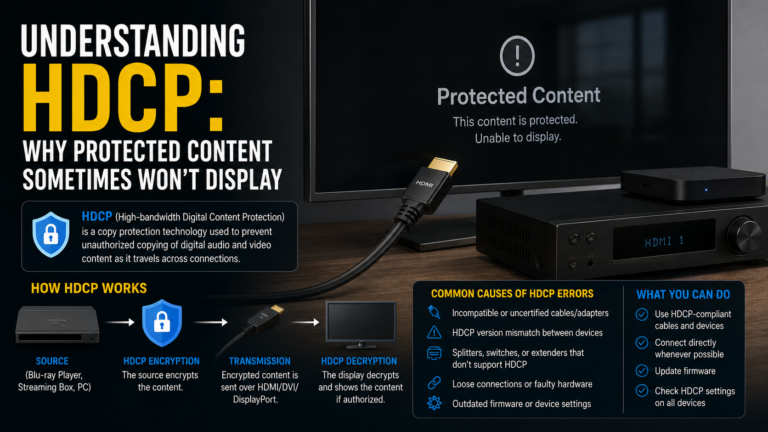
Learn what HDCP is, how it works, why protected content sometimes won’t display, common HDCP issues, and best practices for professional AV installations.
HDCP (High-bandwidth Digital Content Protection) is a digital copy protection technology that ensures copyrighted audio and video content is displayed only on authorized devices. In this guide, learn how HDCP works, why HDCP handshake failures occur, common troubleshooting techniques, and best practices for building reliable professional AV systems.
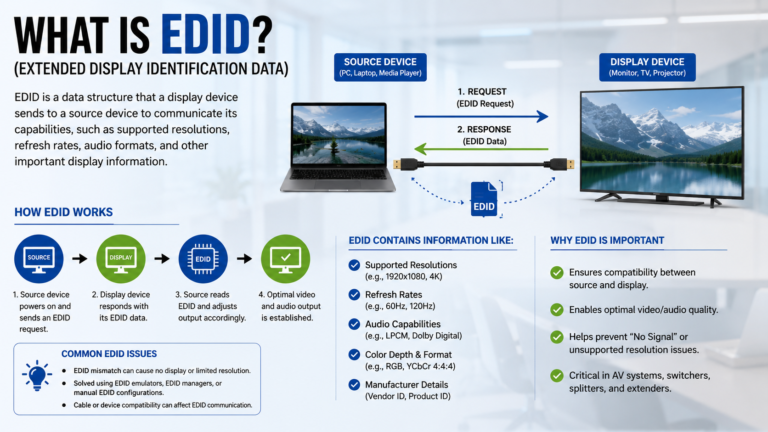
Learn what EDID is, how it works, why it’s essential in professional AV systems, and how to troubleshoot common EDID issues in conference rooms, classrooms, and AV installations.
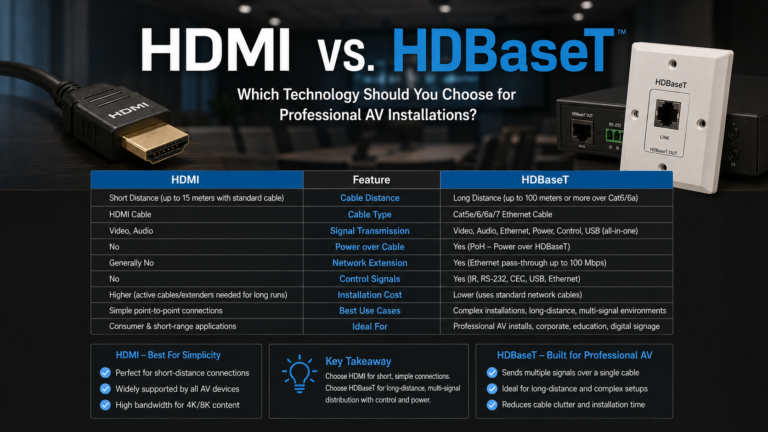
Learn the differences between HDMI and HDBaseT, how each technology works, their advantages, limitations, and where they are best used in professional AV installations.
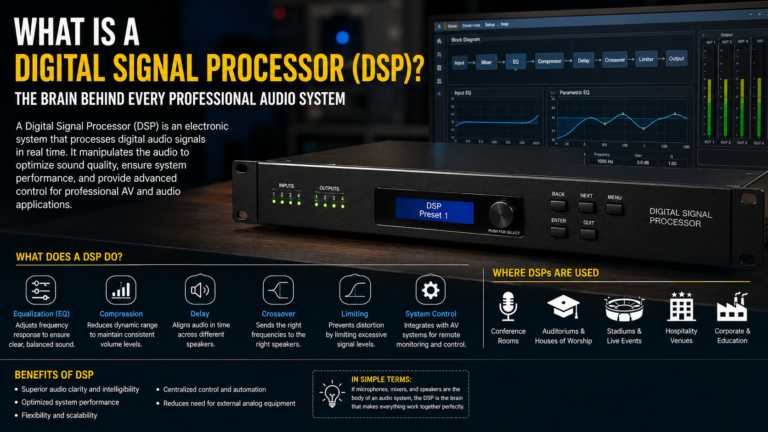
Learn what a Digital Signal Processor (DSP) is, how it works, its key functions, and why it is essential for clear audio in conference rooms, classrooms, auditoriums, and professional AV systems.
A microphone that is not detected in Microsoft Teams can prevent users from participating effectively in meetings. This issue may be caused by incorrect settings, loose USB connections, outdated drivers, disabled permissions, or faulty hardware. Follow these troubleshooting steps to identify and resolve the issue quickly. Common Symptoms Common Causes Step-by-Step Troubleshooting 1. Check Physical…
A “No Input Signal” message is one of the most common issues encountered in meeting rooms, conference halls, classrooms, and home AV systems. This message indicates that the display is powered on but cannot detect an active video source. The problem is usually caused by incorrect input selection, loose cables, faulty hardware, or display configuration…
A “No Signal” message is one of the most common projector issues in meeting rooms, classrooms, and conference halls. It usually occurs when the projector cannot detect a video source due to connection problems, incorrect settings, or hardware faults. Follow these troubleshooting steps to restore the display quickly. Common Symptoms Common Causes Step-by-Step Troubleshooting 1….
Multicast is one of the most important technologies in an AV over IP system. It allows a single video source to be distributed to multiple displays without increasing network bandwidth. When multicast stops working, displays may show a black screen, freeze, or lose connection. This guide explains the most common causes and how to fix…