Fine-Pitch LED Explained: 0.9mm vs 1.2mm vs 1.5mm vs 1.8mm
LED walls are becoming increasingly popular in meeting rooms, boardrooms, conference halls, control rooms, experience centers and corporate spaces.
When selecting an LED display, you may come across specifications such as:
0.9mm | 1.2mm | 1.5mm | 1.8mm
These numbers refer to the pixel pitch of the LED display.
But what does pixel pitch actually mean, and which one should you choose?
This guide explains it in simple terms.
What Is Pixel Pitch?
Pixel pitch is the distance between two LED pixels.
Think of an LED wall as a large image made up of thousands of tiny dots, or pixels.
When the pixels are closer together, the image can look sharper when viewed from a short distance.
Therefore:
Smaller pixel pitch = pixels are closer together = higher pixel density.
For example:
- 0.9mm — Very fine pixel pitch
- 1.2mm — Fine pixel pitch
- 1.5mm — Fine pixel pitch
- 1.8mm — Slightly larger pixel pitch
0.9mm vs 1.2mm vs 1.5mm vs 1.8mm
| Pixel Pitch | Typical Application | Simple Explanation |
|---|---|---|
| 0.9mm | Premium boardrooms and control rooms | Excellent for very close viewing |
| 1.2mm | Boardrooms and premium meeting rooms | Very sharp image quality |
| 1.5mm | Meeting rooms and conference rooms | Excellent balance of quality and cost |
| 1.8mm | Larger rooms and conference halls | Suitable when viewers are farther away |
These are general guidelines. The actual choice should consider the display size, viewing distance, content, brightness and budget.
Why Does Pixel Pitch Matter?
Pixel pitch affects the overall appearance of an LED wall.
A smaller pixel pitch allows more pixels to fit into the same physical area.
For example, if you compare two LED walls of exactly the same size:
1.2mm LED
will have more pixels than:
1.8mm LED
This can provide better image detail, particularly when viewers are sitting close to the screen.
Which Pixel Pitch Should You Choose?
The most important factor is viewing distance.
0.9mm LED
0.9mm is suitable for applications where viewers may sit very close to the LED wall and where high image detail is important.
Typical applications include:
- Premium boardrooms
- Executive meeting rooms
- Control rooms
- Broadcast environments
- High-end visualization
It is generally a premium solution and usually costs more.
1.2mm LED
1.2mm provides very high pixel density and is suitable for premium professional environments.
Typical applications include:
- Boardrooms
- Corporate meeting rooms
- Control rooms
- Experience centers
- Broadcast environments
It can be a good choice when the audience is relatively close to the display.
1.5mm LED
1.5mm is a popular choice for many professional indoor AV applications.
It offers a good balance between:
Image quality + viewing distance + cost
Typical applications include:
- Meeting rooms
- Boardrooms
- Conference rooms
- Training rooms
- Experience centers
- Control rooms
For many corporate AV projects, 1.5mm can be a practical middle-ground solution.
1.8mm LED
1.8mm is suitable for larger rooms where viewers are generally farther away from the display.
Typical applications include:
- Conference halls
- Auditoriums
- Large meeting rooms
- Training rooms
- Corporate spaces
- Hospitality environments
It can provide good image quality while helping control the overall project cost.
Does Smaller Pixel Pitch Always Mean Better?
No.
This is one of the most common misunderstandings when selecting LED displays.
A smaller pixel pitch provides higher pixel density, but that does not mean it is always the best solution.
For example, if the audience is sitting 8–10 meters away from an LED wall, selecting a very expensive 0.9mm display may not provide enough visible benefit compared with a suitable larger pixel pitch.
The correct selection should consider:
Viewing Distance + Screen Size + Content + Room Environment + Budget
Simple Example
Imagine a corporate meeting room where the nearest participant is approximately 2 meters from the LED wall.
A 1.2mm or 1.5mm LED display could be appropriate depending on the screen size and content.
Now consider a large conference hall where the nearest audience member is 8 meters away.
A 1.8mm or larger pixel pitch may provide sufficient image quality without the additional cost of an ultra-fine-pitch display.
The point is simple:
The best pixel pitch depends on the application, not simply on choosing the smallest number.
Why Does Smaller Pixel Pitch Cost More?
A smaller pixel pitch means more pixels are packed into the same physical area.
More pixels generally require:
- More LED components
- More driver components
- Greater manufacturing precision
- More calibration
- More processing capability
As a result, fine-pitch LED displays generally cost more.
However, actual pricing depends on many other factors, including:
- LED technology
- Manufacturer
- Brightness
- Cabinet design
- Refresh rate
- Processing
- Warranty
- Installation
- Service support
0.9mm vs 1.8mm
The easiest way to understand the difference is:
0.9mm
Pixels are very close together.
Best suited for:
- Close viewing
- Premium applications
- High-detail content
- Executive environments
1.8mm
Pixels are slightly farther apart.
Best suited for:
- Larger rooms
- Greater viewing distances
- Conference halls
- Cost-conscious professional applications
Neither is automatically better for every project.
Is 1.5mm LED a Good Choice?
For many professional AV applications, 1.5mm is a very practical option.
It provides a good combination of:
- High pixel density
- Good image quality
- Close-to-medium viewing distance
- Professional appearance
- Cost efficiency
It can be particularly suitable for corporate meeting rooms, boardrooms, conference rooms and experience centers.
Quick Comparison
| Feature | 0.9mm | 1.2mm | 1.5mm | 1.8mm |
|---|---|---|---|---|
| Pixel density | Very high | Very high | High | Good |
| Close viewing | Excellent | Excellent | Very good | Good |
| Image detail | Excellent | Excellent | Very good | Very good |
| Relative cost | High | High | Medium-high | Medium |
| Premium boardroom | Excellent | Excellent | Excellent | Good |
| Meeting room | Excellent | Excellent | Excellent | Excellent |
| Larger room | Very good | Very good | Very good | Excellent |
What Else Should You Check Before Buying an LED Wall?
Pixel pitch is important, but it is not the only specification that matters.
An AV designer should also consider:
Brightness
The required brightness depends on the room and ambient lighting.
A bright room may require a different display specification from a dark control room.
Refresh Rate
Refresh rate is particularly important when the LED wall is being captured by cameras or used for video production.
Contrast
Higher contrast can improve the difference between dark and bright areas of an image.
Color Accuracy
For professional applications, evaluate:
- Color reproduction
- Calibration
- Grayscale
- White balance
- Uniformity
LED Technology
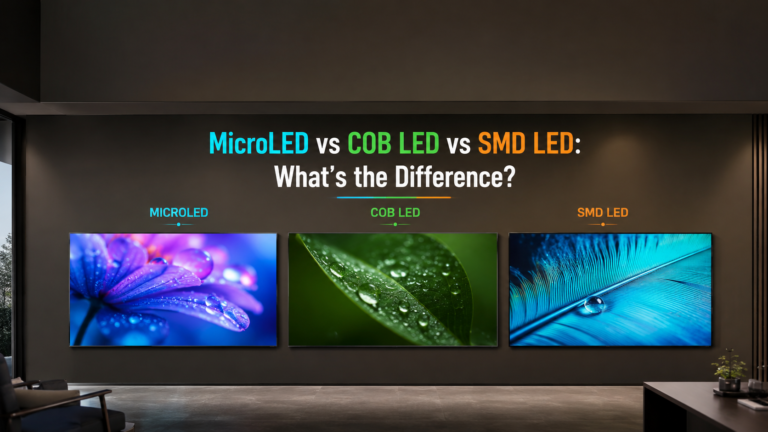
Different LED technologies such as SMD, COB and GOB have different characteristics, advantages and applications.
Processing
The LED wall is only one part of the video system.
A complete solution may include:
Source → Switcher → Processor → LED Controller → LED Wall
The video processor and controller can have a significant impact on the final image quality and system performance.
Pixel Pitch and Viewing Distance
A commonly used rule of thumb is:
Minimum viewing distance ≈ Pixel pitch × 1,000
This provides a simple starting point:
| Pixel Pitch | Approximate Minimum Viewing Distance |
|---|---|
| 0.9mm | 0.9m |
| 1.2mm | 1.2m |
| 1.5mm | 1.5m |
| 1.8mm | 1.8m |
| 2.5mm | 2.5m |
| 3.9mm | 3.9m |
However, this should not be treated as an absolute engineering rule.
Actual viewing quality depends on:
- Content
- Screen size
- LED package
- Resolution
- Viewing angle
- Brightness
- Contrast
- Ambient lighting
- Viewer expectations
A professional AV design should always consider the complete viewing environment.
How Should an AV Engineer Select Pixel Pitch?
A simple design process is:
Step 1: Determine the Viewing Distance
Identify the distance between the LED wall and the nearest viewer.
Step 2: Determine the Screen Size
Calculate how large the LED wall needs to be.
Step 3: Understand the Content
Determine whether the display will show:
- Presentations
- Spreadsheets
- Text
- Video
- Camera feeds
- Dashboards
- Graphics
- Digital signage
Step 4: Select Pixel Pitch
Choose an appropriate pixel pitch based on the viewing environment.
Step 5: Check Resolution
Calculate the expected native resolution of the LED wall.
Step 6: Check Other Specifications
Evaluate:
- Brightness
- Refresh rate
- Contrast
- Color performance
- LED package
- Processing
- Warranty
- Service support
Step 7: Compare the Budget
Finally, compare the technical requirements with the available project budget.
Common Mistakes When Selecting LED
Choosing the Smallest Pixel Pitch
Smaller does not automatically mean better.
Ignoring Viewing Distance
Pixel pitch should always be evaluated together with viewing distance.
Choosing Based Only on Price
Two LED walls with the same pixel pitch can have very different performance and reliability.
Ignoring Content
Text-heavy applications may require higher pixel density than simple branding or large graphics.
Ignoring Camera Performance
In meeting rooms, the LED wall can affect camera exposure, image quality and moiré.
Ignoring Processing
The LED modules are only one part of the complete display system.
Fine-Pitch LED for Meeting Rooms
Fine-pitch LED is increasingly being used in premium corporate environments.
Compared with traditional projection, LED can offer:
- High brightness
- High contrast
- Large seamless image
- No projector shadow
- Strong visual impact
- Good performance in bright environments
- Low routine maintenance
This makes fine-pitch LED attractive for:
- Boardrooms
- Executive briefing centers
- Large meeting rooms
- Experience centers
- Conference rooms
- Control rooms
LED vs Projector
| Feature | Fine-Pitch LED | Projector |
|---|---|---|
| Brightness | High | Depends on projector |
| Ambient light performance | Very good | Can be challenging |
| Seamless image | Yes | Yes |
| Shadow | No | Possible |
| Large display | Excellent | Excellent |
| Close viewing | Excellent with appropriate pitch | Depends on system |
| Initial cost | Generally higher | Often lower |
| Maintenance | Generally low | Depends on projector type |
The right choice depends on the room, screen size, viewing distance, lighting and budget.
Final Verdict
There is no single “best” pixel pitch for every LED wall.
The correct choice depends on:
Viewing Distance + Screen Size + Content + Lighting + Camera Requirements + Budget
As a simple starting point:
- 0.9mm — Premium close viewing
- 1.2mm — Premium professional applications
- 1.5mm — Excellent balance of quality and cost
- 1.8mm — Good for larger rooms and greater viewing distances
The most important lesson is:
Do not select an LED wall based on pixel pitch alone. Select it based on the room, viewing distance, content and overall system requirements.
Frequently Asked Questions
Is 0.9mm better than 1.8mm LED?
0.9mm provides higher pixel density and is generally better for close viewing. However, 1.8mm may be a more practical and cost-effective choice when viewers are farther away.
Is 1.5mm LED good for a meeting room?
Yes. 1.5mm can be an excellent choice for professional meeting rooms because it provides high pixel density while balancing image quality and cost.
What is the best pixel pitch for a boardroom?
There is no universal answer. 0.9mm, 1.2mm and 1.5mm can all be suitable depending on viewing distance, screen size, content and budget.
What is the difference between 1.5mm and 1.8mm LED?
The main difference is pixel density. 1.5mm has pixels closer together and therefore provides higher pixel density than 1.8mm.
Does smaller pixel pitch mean higher resolution?
Smaller pixel pitch allows more pixels to fit into the same physical area, but the final resolution also depends on the physical size and configuration of the LED wall.
What is the best LED pixel pitch for a conference room?
There is no single answer. For many indoor conference rooms, 1.2mm, 1.5mm or 1.8mm can be appropriate depending on viewing distance and screen size.
Related AV Insider Guides
Continue learning about professional AV and display technology:
- What Is AV? Complete Guide to Audiovisual Technology
- What Is a Video Wall?
- What Is AV Over IP?
- AV Over IP vs Traditional Matrix Switching
- AI Cameras in Meeting Rooms
- AV System Design Guide
- AV BOQ Guide
- AV Site Survey Guide